Online Video Editor — Create Videos in Your Browser
Trim clips, add subtitles, animate text, and customize ready-made templates with Deus. Create videos online without installing software.
- No installation
- Timeline editing
- Ready-made templates
- Free plan available
What would you like to do?
Choose the quickest way to start your video.
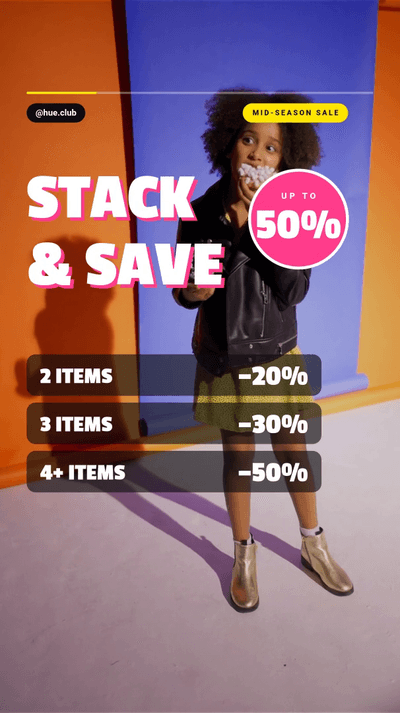
Featured Video Templates
Choose a starting point, then make it yours in the Deus editor.















Popular Video Tools
Quick tools for everyday editing tasks.
Powerful Video Editing, Made Simple
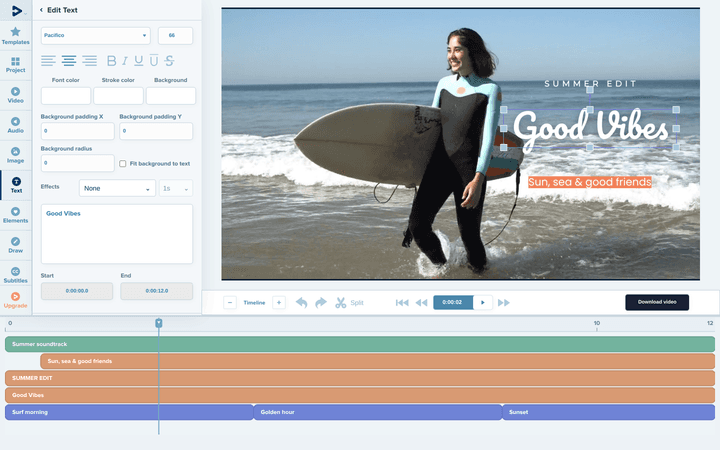
Bring clips, sound, titles, subtitles, and effects together on an easy-to-use timeline.
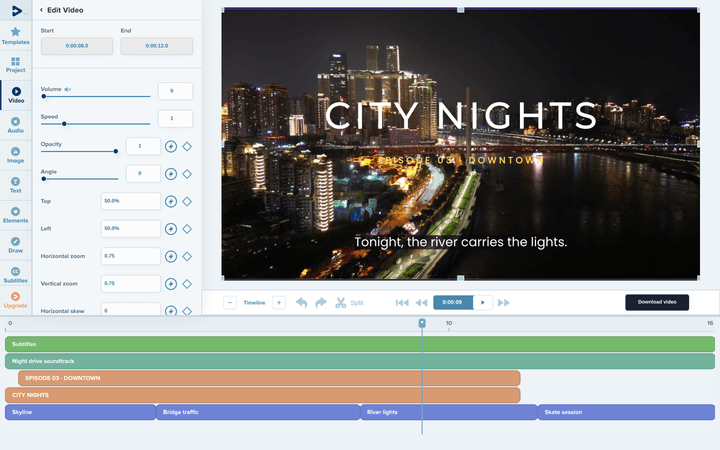
Arrange clips, titles, subtitles and music on separate tracks and set exactly when each one starts and ends.
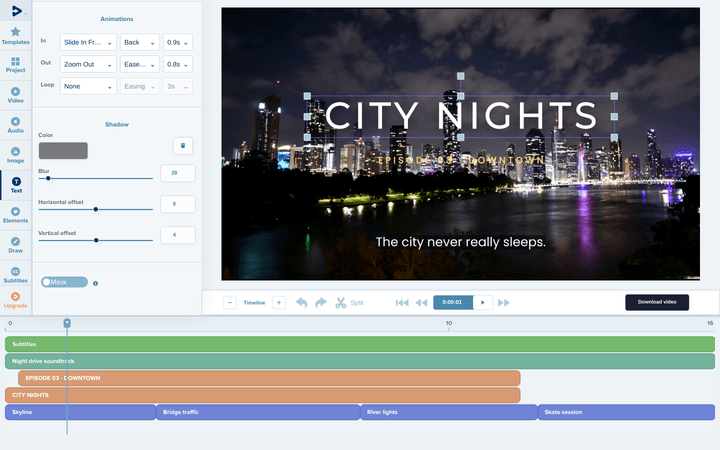
Give titles and other objects in, out and loop animations, then adjust their duration and easing.
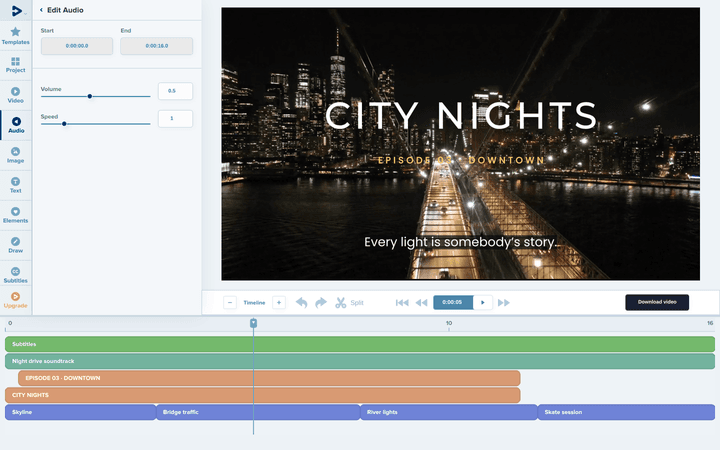
Add music or a voice-over on its own track and adjust its volume and speed.
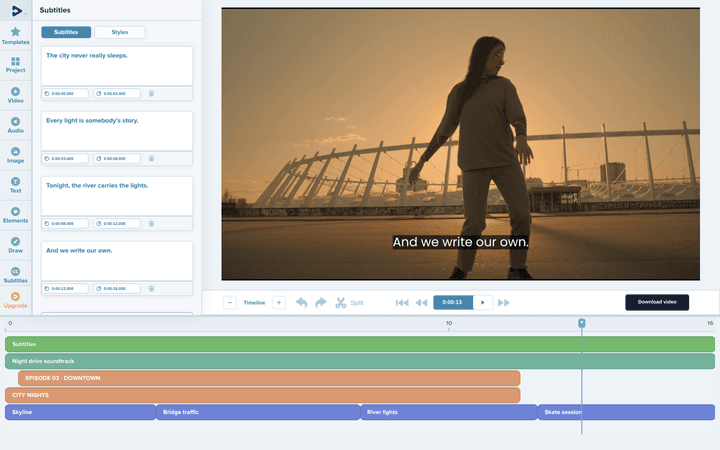
Write subtitles line by line or generate them automatically, then adjust their timing and style.
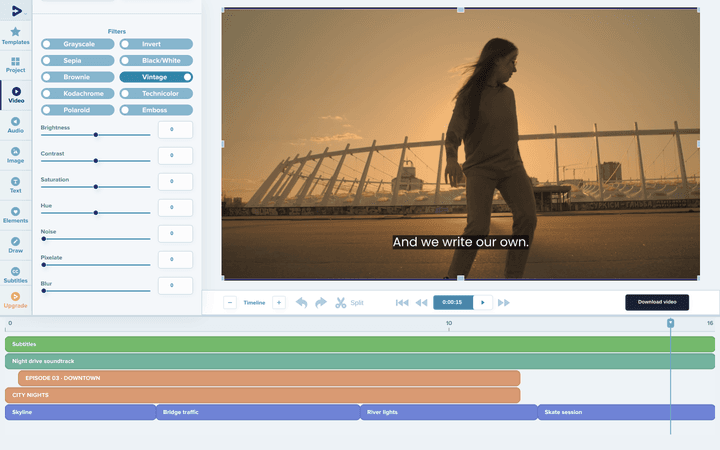
Apply filters such as Vintage or Grayscale and fine-tune brightness, contrast and saturation.
How It Works
From your first clip to a finished video in three steps.
Upload or choose a template
Start with your footage or a ready-made design.
Edit and customize
Add titles, music, captions, and animations.
Export your video
Render and download the finished result.
Ready to create your next video?
Create a project, choose a template, and start making it your own.
Frequently Asked Questions
Do I need to install any software?
No. Deus runs in your browser, so you can create and edit videos without installing an app.
Can I start with a video template?
Yes. Browse our templates, preview a design, and customize it in the editor.
Can I edit my own videos?
Yes. Start a project, upload your clips, photos and music, and arrange them on the timeline.
Can I add subtitles to my video?
Yes. In the editor you can write subtitles line by line, upload an SRT file, or generate them automatically, then adjust their timing and style. Automatic subtitles use credits from your plan.
Is Deus free to use?
Yes, Deus offers a free plan. Exports on the free plan have limits: for example, they include a watermark and have a lower maximum resolution.
Which video formats are supported?
You can upload common video formats such as MP4, MOV, WebM and AVI, and finished videos are exported as MP4. Supported formats may vary by tool and browser.